 VINTA
Before & after · CCD
The Y2K digicam look, before & after
The pocket digital cameras of the mid-2000s are having a second life. People are digging them out of drawers and buying them second-hand for one thing: that cool, crisp, slightly too-sharp look. Vinta's CCD camera — “Y2K digicam teal” — gives your iPhone photos the same feel. Four examples below.

 BeforeAfter · CCD
In this post
- What makes a photo look like a 2000s digicam
- Why digicams are back
- Four before & afters
- Shooting tips for the digicam look
- How to do it in Vinta
What makes a photo look like a 2000s digicam
People call it the “CCD look” after the type of sensor many compact cameras used in that era. In practice the look comes from the whole camera, not just the sensor:
- Cool white balance. Auto white balance on those cameras often leaned blue-teal, especially indoors and at night.
- Crisp, slightly over-sharpened detail. Small sensors plus in-camera sharpening gave edges a hard, digital snap.
- Less dynamic range. Highlights clip sooner and shadows drop off faster than on a modern phone.
- The tiny flash. Direct flash on faces, dark backgrounds, red eyes.
It's the opposite of film nostalgia: not warm and grainy, but cool, clean and a bit clinical, like a photo that's been sitting on a memory card since 2006.
Why digicams are back
Over the last few years, old pocket cameras have turned into a fashion accessory. They show up in party photos, mirror selfies and photo dumps, and second-hand prices for the popular models have been climbing. The appeal is easy to see: a digicam photo looks like a photo, not like a phone screenshot of reality. It's a little worse in all the right ways.
The catch is that real digicams are getting harder to find, need chargers and memory cards from another decade, and you still have to get the pictures onto your phone. A digicam filter skips all of that — and works on photos you've already taken.
Digicam vs disposable vs phone
| Look | Colour | Texture | Feels like |
|---|---|---|---|
| Phone | Balanced, bright shadows | Clean, smoothed | Today |
| CCD digicam | Cool, teal-leaning | Crisp, sharpened | 2004–2008 |
| Disposable | Warm, shifted by the film | Grain, soft lens | 1995–2003 |
Four before & afters

 BeforeAfter · CCD
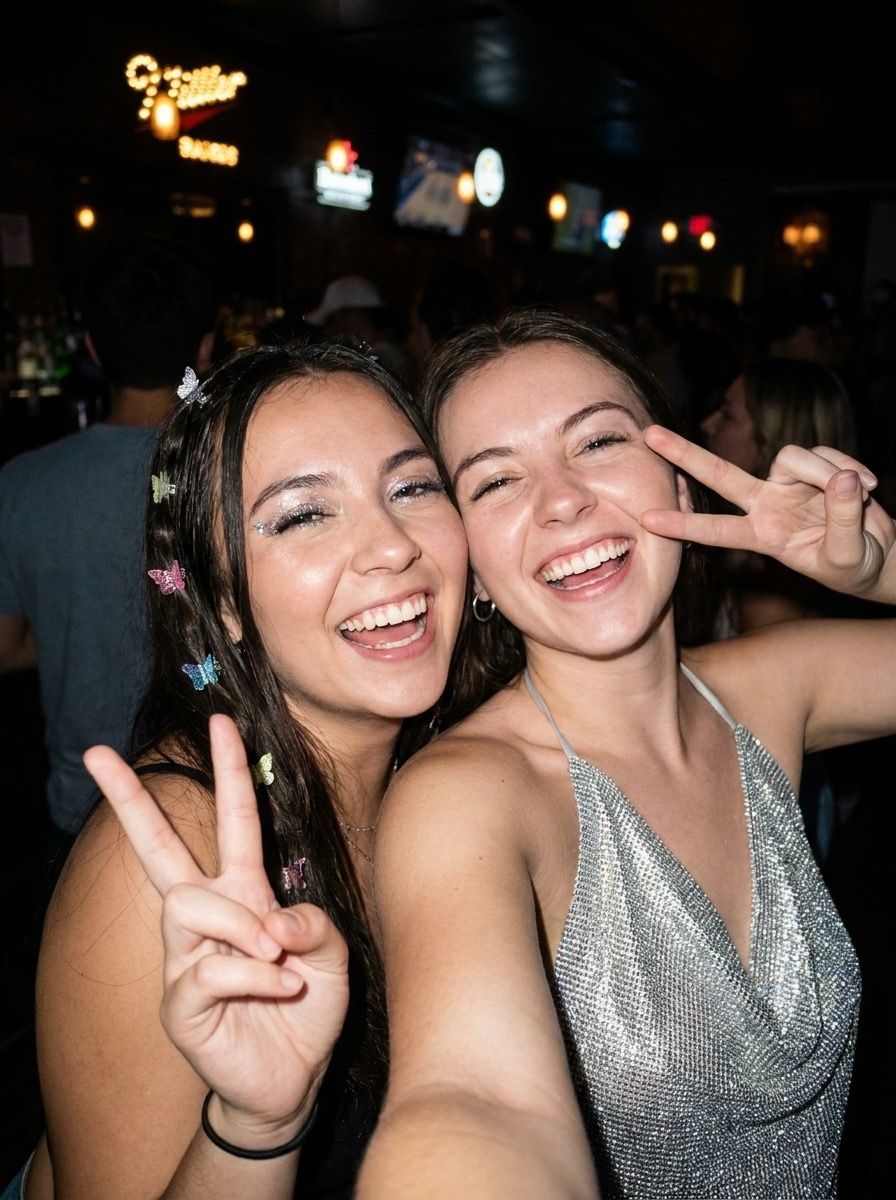
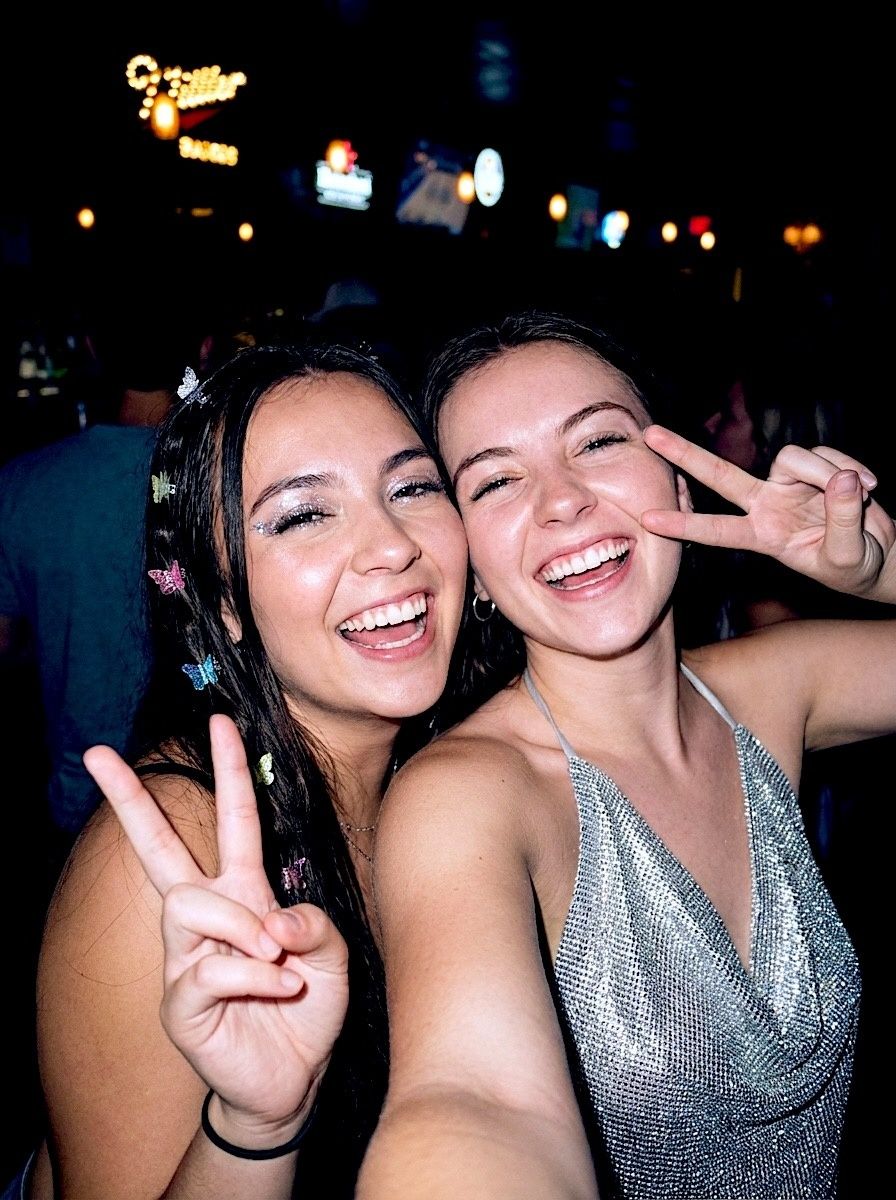 BeforeAfter · CCD
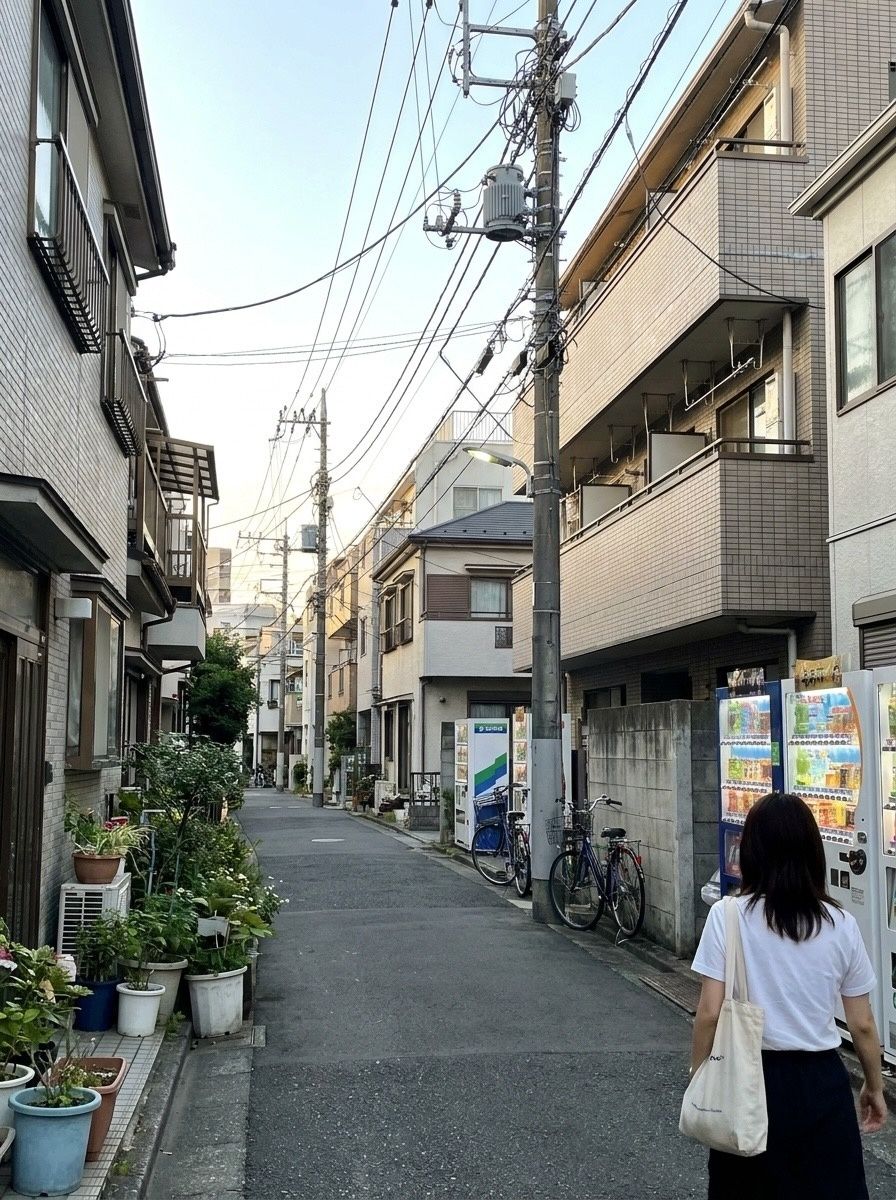
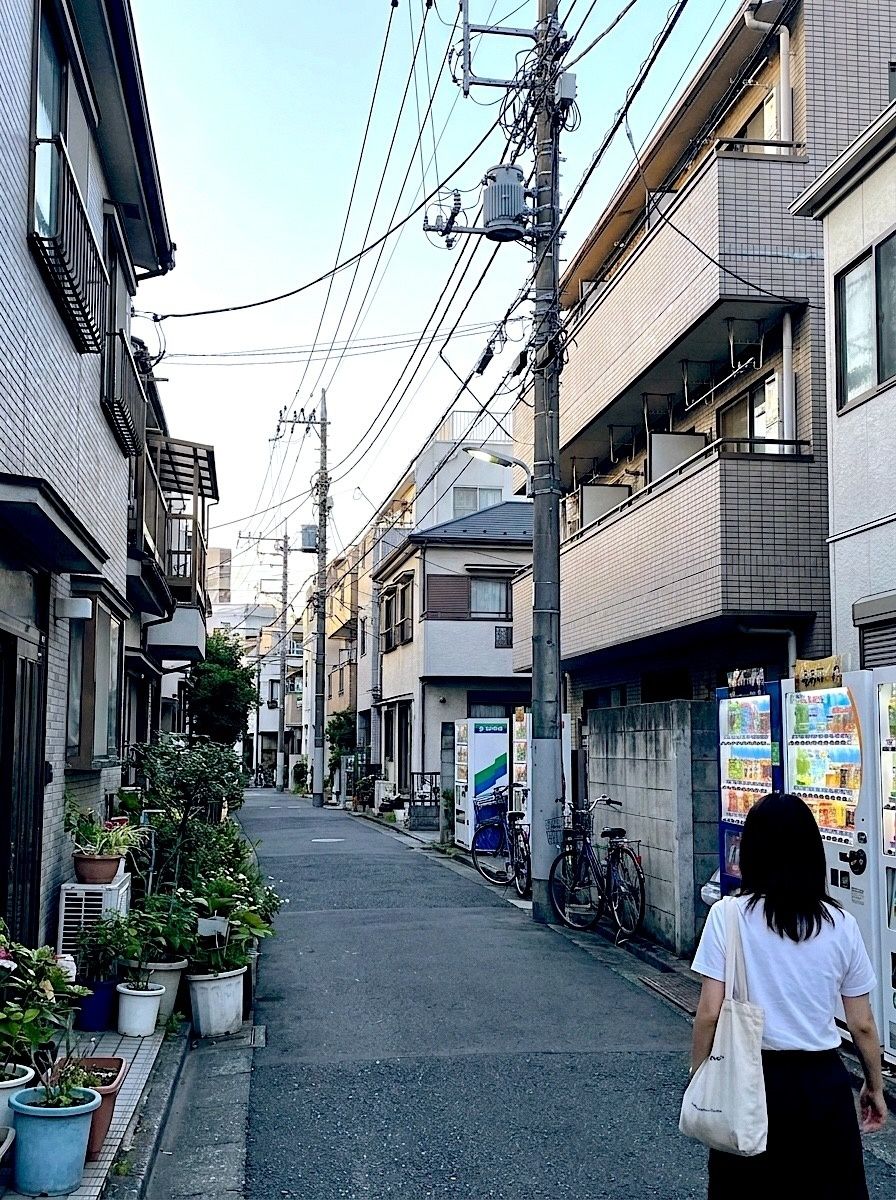 BeforeAfter · CCD
Shooting tips for the digicam look
- Turn the flash on indoors and at night. Most digicam photos people love were shot with direct flash.
- Frame loosely. Point-and-shoots had wide-ish fixed lenses; full-body shots with lots of room around work better than tight crops.
- Mirror selfies, car selfies, group shots — the more candid, the more 2006.
- Pair it with film. A photo dump that mixes CCD with a disposable like FQS looks like it came from two different friends' cameras.
How to do it in Vinta
- Pick a camera
Open Vinta and tap the camera button at the bottom right. The drawer lists every camera with a one-line description of its look.
- Shoot or import
Press the shutter to shoot with the look applied live, or tap the import button to bring in a photo you've already taken.
- Develop & save
On the Develop Photo screen, swipe through the cameras to preview each look on your photo, then tap Develop & Save. It lands in your Photos library, with no watermark.
Want the warmer, grainier kind of nostalgia instead? Head to the disposable camera guide, or see ten film cameras compared on one photo.
FAQ
What is a digicam filter?
A digicam filter recreates the look of the small digital cameras of the early-to-mid 2000s: cool colour, crisp sharpening, limited dynamic range and direct flash. In Vinta it's the CCD camera.
Why are old digital cameras popular again?
Many people like that the photos look different from phone photos — less processed, cooler and more candid — and that they feel tied to a particular era. A filter gives you the look without buying and charging an old camera.
Is the CCD look the same as a film look?
No. Film looks are usually warmer and grainier. The CCD look is cooler, cleaner and sharper. Vinta has both, so you can mix them in the same photo dump.
Can I use the digicam look on photos I've already taken?
Yes. Import any photo into Vinta, pick CCD on the Develop Photo screen and tap Develop & Save.
About these photos: the “before” images are AI-generated stand-ins for everyday phone snapshots, made so we could show the same scenes across many cameras without using anyone's personal photos. Every “after” is the unedited output of Vinta developing that image on the date of this post — no extra editing, no cherry-picked presets.
More before & afters
-
 FXN
Before & after · FXN
The Fuji film look on iPhone, before & after
Crisp colour, deep shadows that lean green and skin that stays natural. Six photos through FXN.
-
 DISPOSABLE-1
Before & after · Disposables
Disposable camera filter: flash, grain, date stamp
Harsh flash, warm grain, light leaks and the orange date stamp. Five photos, five disposables.
-
 PAF
Before & after · Instant
Instant film filter: real prints from phone photos
Classic mini, square and peel-apart: three instant formats, white border included.